Tag: Tesla

  • Intelligent Octopus GO (IOG) changes

    Interesting news out of Octopus this week where they will now limit their Intelligent Octopus Go (IOG) product to 6 hours of car charging only.

    The fallout from this change has been significant, with customers fighting each other, and blaming each other for these changes from Octopus. Abuse of the system being the prime candidate of anger from customers.

    While the 6 hour limit of charging doesn’t impact me directly, I think the customer reaction to turn on each other is quite interesting.

    In my case, I have a granny (slow) charger for my car. I do about 40 miles a day, needing about 10kWh of charge per day. Because of that, I decided I would not install a fast charger at the cost of £1500, it didnt make financial sense, and still doesn’t. Using IOG I get cheap slots when they grant them, sometimes on peak, mostly off peak. The new 6 hour limit works for me still.

    Some customers in this same scenario are doing far more miles than me, and charging for many more hours. This enables their house to also run at the cheap rate. This is the abuse Octopus are trying to target.

    Its disheartening to me that the anger of customers is now squared at each other, even if they are non abusers of the system that Octopus themselves put in place. I mentioned I had a slow charger on a thread this week and was quickly piled on, despite not abusing the system and using it per the Octopus terms and conditions of the service.

    If Octopus want to stop abuse of slow chargers, then they have the complete control to stop it – just don’t offer the full flexibility of the service to slow chargers. Limit them only. This is 100% in their control to stop.

    And customers should stop being angry at each other. If Octopus didnt want abuse of the system in the first place, they could have put rules in place to stop it from the start. They didn’t, or they didn’t enforce it.
  • Using WeatherFlow Tempest to Warm My Tesla for the School Run

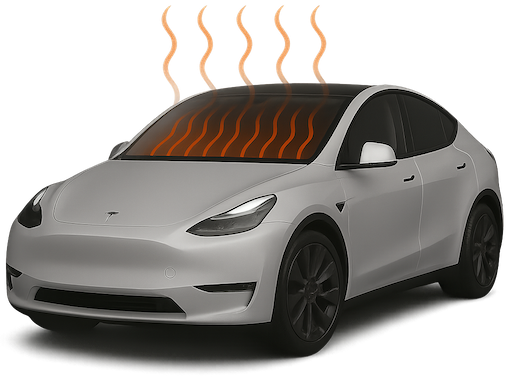
    As a parent juggling the school run every morning, there’s one thing I really don’t enjoy – scraping ice off the car while trying to wrangle two teenagers and get out the door on time. So I’ve automated the process of pre-heating and defrosting my Tesla using my WeatherFlow Tempest weather station and Home Assistant.

    Tesla being heated

    WeatherFlow Tempest is a smart weather station that gives me highly accurate outdoor temperature data from my own garden. More accurate, in fact, than the Tesla’s own temperature sensors when the car is asleep.

    I use the Tessie integration in Home Assistant to communicate with my car. It allows me to send commands like “turn on climate control” even when the Tesla is sleeping, without the delay or failure that sometimes occurs with the native Tesla integration.


    Why Use Tempest Instead of Tesla’s Own Temperature Reading?

    Tesla goes into a deep sleep mode overnight to conserve energy. That’s great for battery life, but not so great if you want reliable temperature data in the early morning. The external temperature reported by the car can be outdated or missing altogether until the car is awake and responsive.

    Instead, I rely on my WeatherFlow Tempest’s temperature sensor, which continues to report accurate live data overnight.


    The Automation Setup

    Every weekday morning at exactly 8.00am, my Home Assistant instance checks the current outside temperature reported by the Tempest. If it’s below 3°C, the automation triggers Tessie to enable climate control in the car for 15 minutes – enough to warm the cabin and defrost the windows. I also make sure I only set this on school days.

    I also receive a notification letting me know that the defrost has been enabled.

    Here’s the automation in full:

    alias: Warm Car Automation
    description: At 08.00 every school day check outside temp and defrost if below 3C
    mode: single
    triggers:
      - at: "08:00:00"
        platform: time
    conditions:
      - condition: time
        weekday:
          - mon
          - tue
          - wed
          - thu
          - fri
      - condition: numeric_state
        entity_id: sensor.tempest_temperature
        below: 3
    actions:
      - service: climate.turn_on
        target:
          entity_id: climate.none_climate
      - service: notify.notify
        data:
          message: "Car Defrost Enabled for 15 mins"
      - service: notify.persistent_notification
        data:
          title: "Car Defrost Enabled"
          message: "Car Defrost Enabled for 15 mins"

    You can take this further by:

    • Tracking how often the automation is triggered using a counter or helper.
    • Adding a secondary check for battery level to avoid defrosting if your range is low.
    • Turning the climate off again after a set duration (or allowing Tesla’s own timeout to do it for you).

    This small quality-of-life improvement saves me time and hassle every winter morning, and it’s yet another example of how Home Assistant can bring together multiple smart devices into a seamless routine.