Shelly recently launched the BLU Distance – a bluetooth low energy device that can measure distances up to 5 meters (200mm-5000mm). It can support use cases such as liquid measurement (in a water or oil tank for example), or distances of objects (like in a garage or driveway for your car). It promises long battery life (up to 4 years), as well as detection every 5-30 seconds (configurable) and/or based on vibration detection using a built-in accelerometer. The spec outlines an accuracy of +/- 20mm from 20 cm to 200 cm range, and +/- 2cm above 200 cm: +/- 1%.
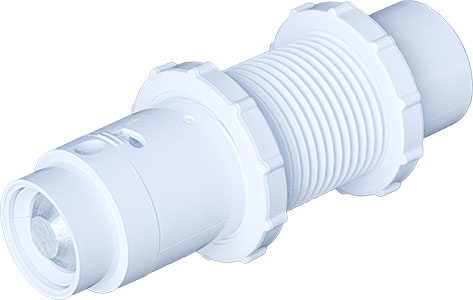
This sounded perfect for my use case. I live out in the UK Sussex countryside, out here there is no mains gas so I have a kerosene oil tank. I’ve had an offline sensor in the tank since I moved in, which beams some level of tank volume to a small device plugged in to the wall socket. Unfortunately it recently stopped working so I’m flying blind – but along comes the BLU Distance!
Installation
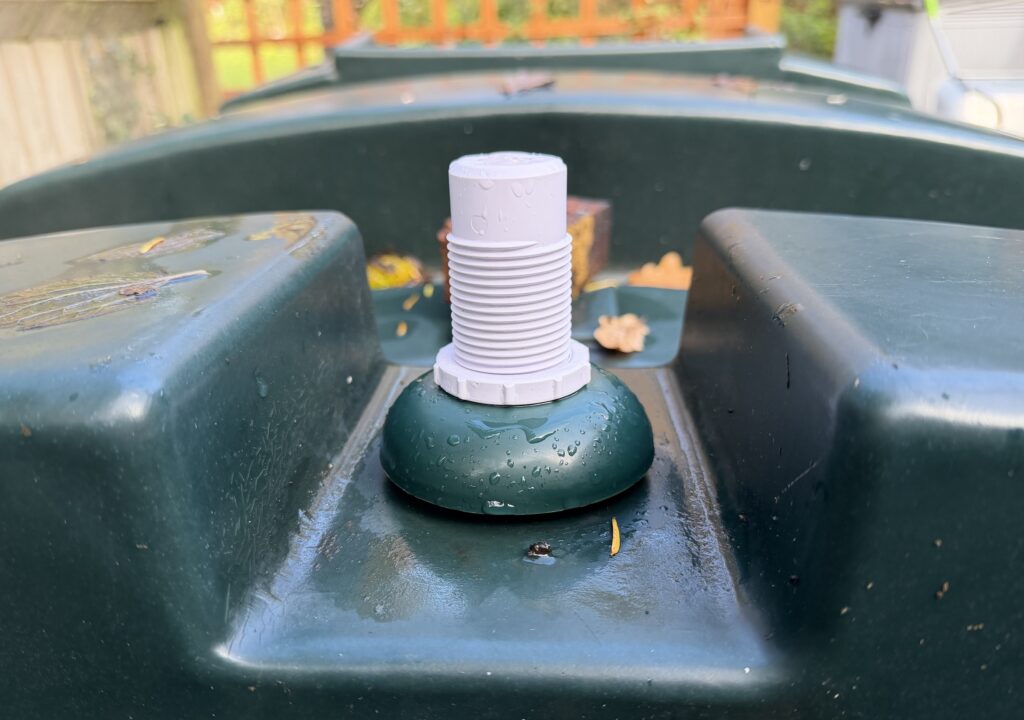
Before you do anything, measure the height of your tank from the lowest point, up to where the Shelly BLU Distance will be installed. In my case that was 1080mm.
Setting up the BLU Distance was pretty straight forwards, but there are a couple of things to look out for as you set things up.
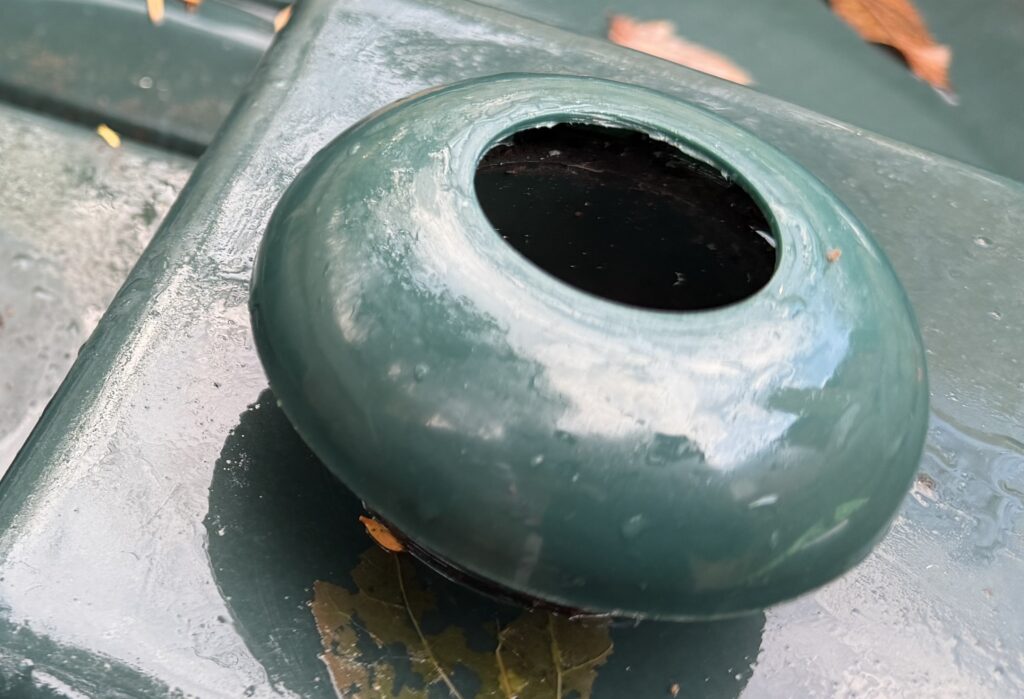
To install on my tank (a Titan H1300TT 1300 litre), I used an existing screw in cap that was on the top of the tank. I grabbed a 36mm hole cutter saw bit from Amazon which is the exact spec from Shelly. Using the drill bit, I carefully drilled the 36mm wide hole into the plastic screw cap.
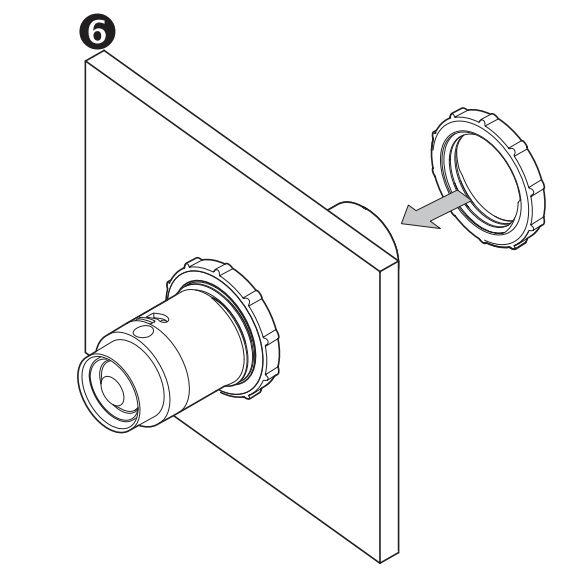
The BLU Distance comes with a protective plastic shield around the device and two adjustable screw connectors. This enables you to position the device in the hole you just drilled, placing the two screw connectors either side of the hole to make a tight fit.
However, before placing the device in the hole, you need to turn it on and set it up. Take the device out of its protective shield by following the instructions, pull the tab out of the battery compartment to turn it on. Use the Shelly app to add the device to your account, and connect it to a bluetooth gateway (most Shelly products these days include a BLE gateway setting, you might need to turn that on, or purchase a separate Shelly USB BLU gateway). For example, I connected mine to a Shelly Uni device setup in my garage already.
Once connected, go through the setup tutorial in the app – it asks if you are measureing liquid (yes!), and the height of your tank. This helps the Shelly app determine liquid levels and percent full data.
Once complete, screw the device onto the cap, and screw the plastic cap back onto the tank. Within 30 seconds (default setting) you should see a liquid reading in the Shelly app.
Setting up Home Assistant
As I mentioned before, you need to setup a bluetooth BLE device for the BLU Distance to talk to. If not already installed, make sure the BTHome integration is installed in home assistant, as well as the Shelly integration. In my case, the Shelly Uni was already installed and connected to Home Assistant. Turning on its BLE setting in the Shelly app is step one, but in order for Home Assistant to get continuous updates, you need to configure the device (this step is important and relevent for all Shelly BLE devices)
Go to the Shelly integration in Home Assistant. The next page shows the list of devices connected to the integration. Scroll to find the BLE gateway you connected the BLU Distance to, and hit the Settings cog icon.
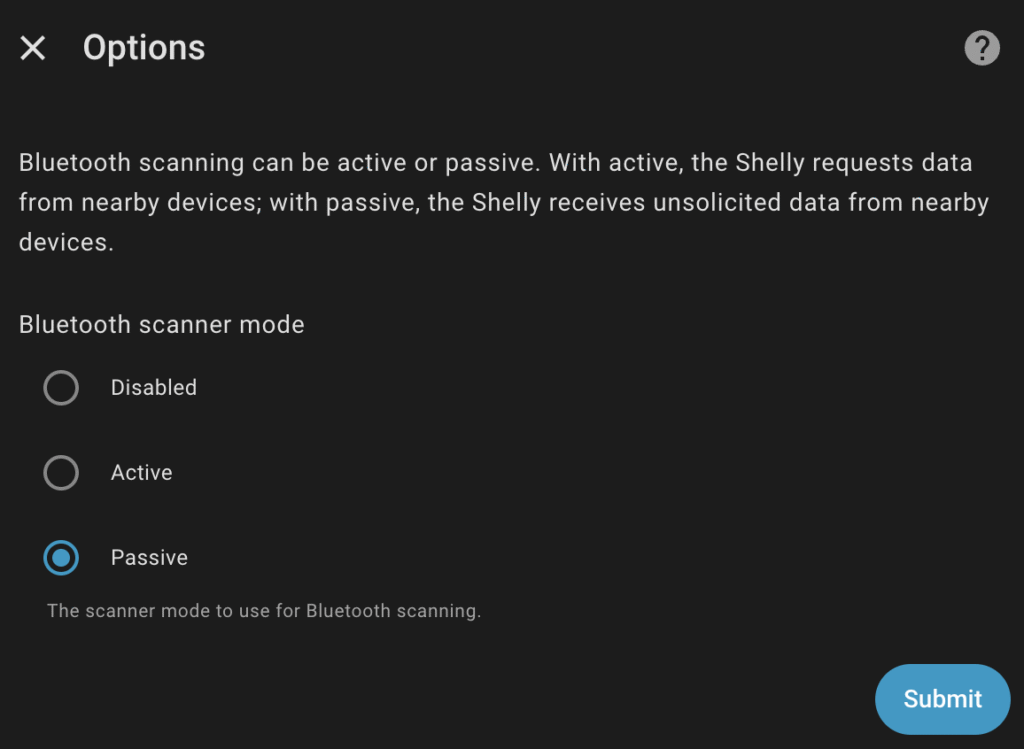
Ensure that "Passive" is set for the "Bluetooth scanner mode". Flip over to the BTHome integration, you should be prompted to install a new device which is the BLU Distance. Once installed you’ll get a "distance" entity in mm, and a "vibration" entity whenever it detects a vibration (on / off).
Quick observations
There’s been talk already of connectivity issues from the BLU Distance to its bluetooth gateway. Mine is connected to a Shelly Uni which is about 2.5 meters away from the device, with a line of sight through a garage window. On average I see a -80 dBm signal strength which isn’t great, however I am consistently seeing updates every 30 seconds. My oil levels dont change that often so no concern for me.
Others have reported no signal at all from their tanks, when installing inside a metal tank. It is very likely the metal tank is interfering with the bluetooth connectivity. In my case, I have made sure that most of the unit is outside of the tank in the hope that the antenna is outside. You can adjust that with the two adjustable screw connectors I mentioned above.
Lastly, I’ve been a little disappointed with the accuracy. Maybe I should have RTFM, despite my oil levels diminishing, the device continues to show a static level of liquid measurement. I believe this is due to the +/- 20mm accuracy, so if the oil drops by 1mm, that simply isn’t registering. I still think this is OK for my usecase, but I was hoping to see a daily shift. I will keep an eye on it.
Update
I’ve now posted my review / experience of using the Shelly BLU Distance over the past few weeks on my heating oil tank. Check it out and let me know what your thoughts are below!
I would love to hear from you and your experiences using the Shelly BLU Distance. Contact me on github